Styling and Customizing 3forge Dashboards
3forge supports a variety of front end customization tools for developers to personalize dashboards according to user requirements. This page contains useful resources for customizing your 3forge dashboards.
Overview
3forge is a highly flexible development platform and can be easily customized to maintain your brand identity.
There are a number of front end tools in 3forge specifically intended for customization including but not limited to:
- Custom CSS
- Custom HTML
- Styles and themes
These can be applied to all visible web elements such as tables, buttons, and other interactive fields.
Note
Generally customization is done on a per-layout basis. To set up user preferences, see this page.
For a list of available customization guides, see the list below.
Custom CSS
The Custom Css menu can be used to define styling options for any HTML field element (e.g: buttons, checkboxes, window titles, etc).
The order of priority from highest to lowest for style inheritance is as follows:
- Field CSS Class
- Field Style
- Inherit From
- Style Manager
To create custom CSS, navigate to Dashboard->Custom Css

The custom CSS methods are typically used for two purposes:
- In HTML panel fields
- General styling choices
Note
To use the custom CSS values in areas that require custom HTML, e.g: window titles, ensure that the classes start with public_.
Example: Custom Button Colors
-
To customize a button via CSS, you can set the following values:
Then in 3forge, create a HTML panel and add a button. In the button field editor, navigate to the "Field Style" tab and scroll to the bottom. You should see a list of CSS options. By default, these values will be set to "Inherited". Set the "Field CSS Class" to
my-buttonfrom the drop-down menu.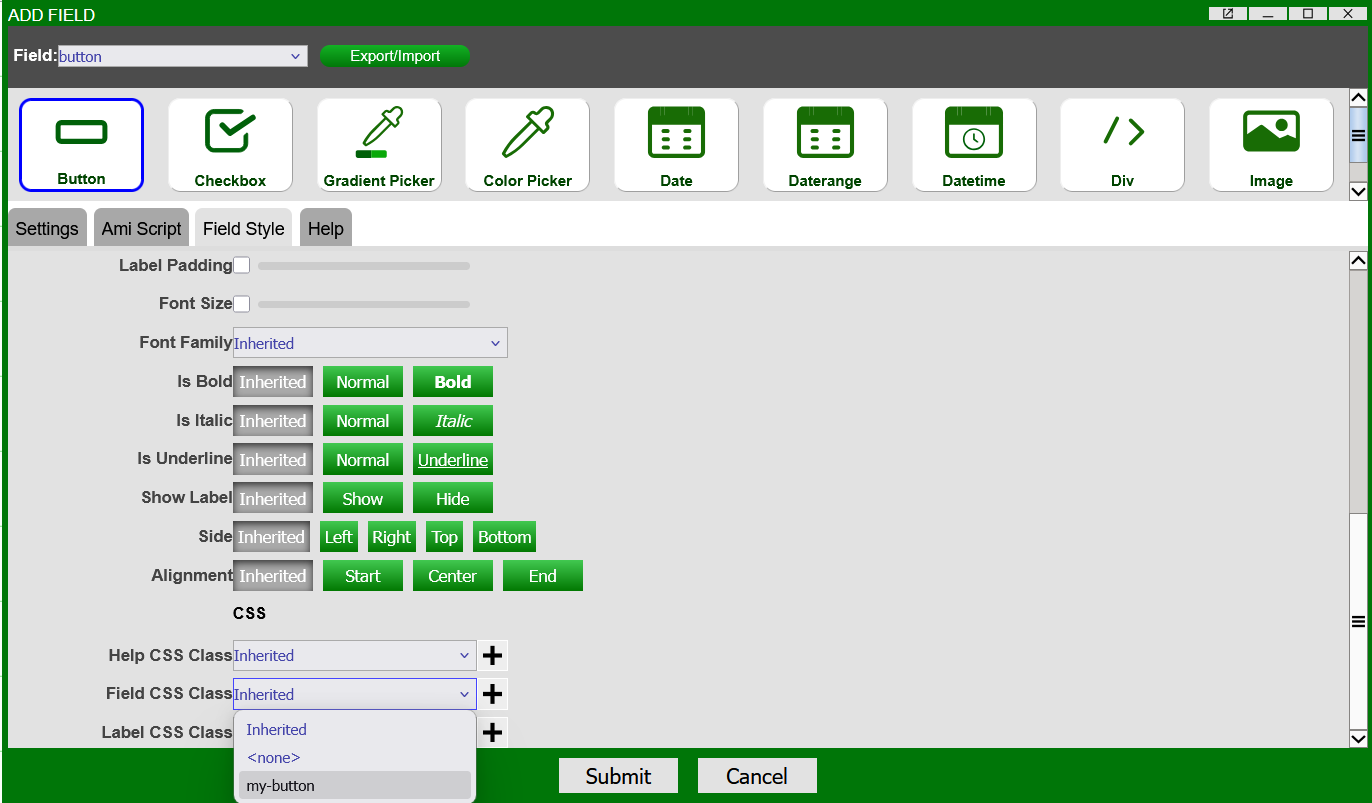
This will update the button's field values to have:
- A red background color
- Green text
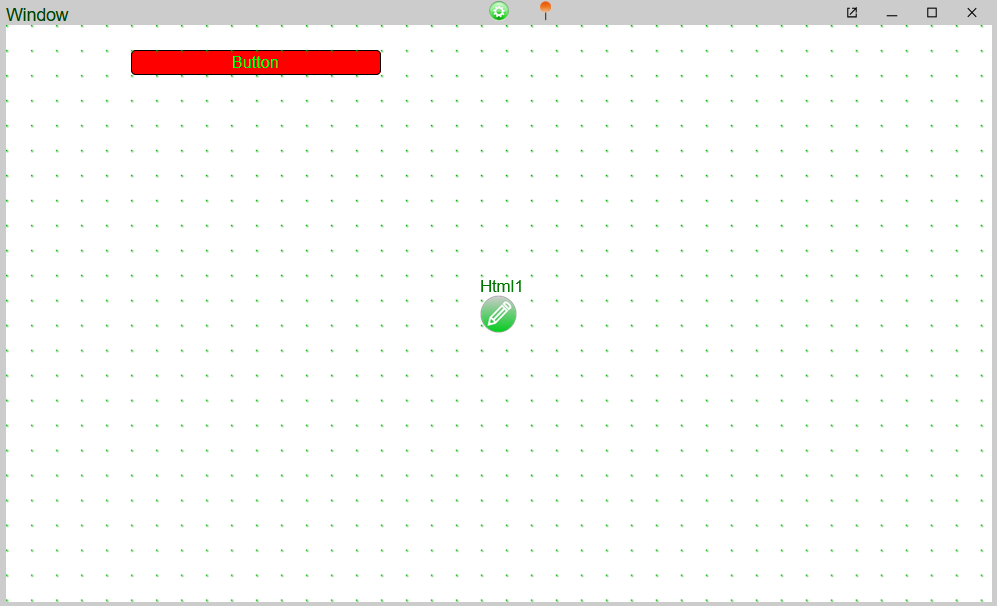
There are other CSS inheritance classes for HTML fields. These can be set similarly.
Customization Options
-
- Information on customizing visual elements of 3forge to create styles and themes for general dashboard appearances, e.g: light mode and dark mode
- How to define style inheritance for layouts to maintain brand identity
-
- How to edit your table visualizations
- This does not change the underlying datamodels, but is useful for tweaking visualizations according to your needs and preferences
-
- How to edit your tree visualizations
- This does not change the underlying data, but is useful for tweaking visualizations according to your needs and preferences