Parquet
AMI supports importing of data from Apache Parquet files via a lightweight adapter.
The Parquet adapter does not ship with AMI by default. Please contact support@3forge.com to get the adapter assigned to your 3forge account.
Setup
Requirements
- AMI parquet adapter
- Parquet files in a readily-accessible directory
Parquet Adapter Setup
-
Navigate to the 3forge Account portal and go to the 'Files' page. Download the Parquet adapter zip assigned to your account.
-
Unzip the adapter. There will be a
libfolder containing.jarfiles for the adapter. Copy and paste these files into theamione/libdirectory of your AMI instance. -
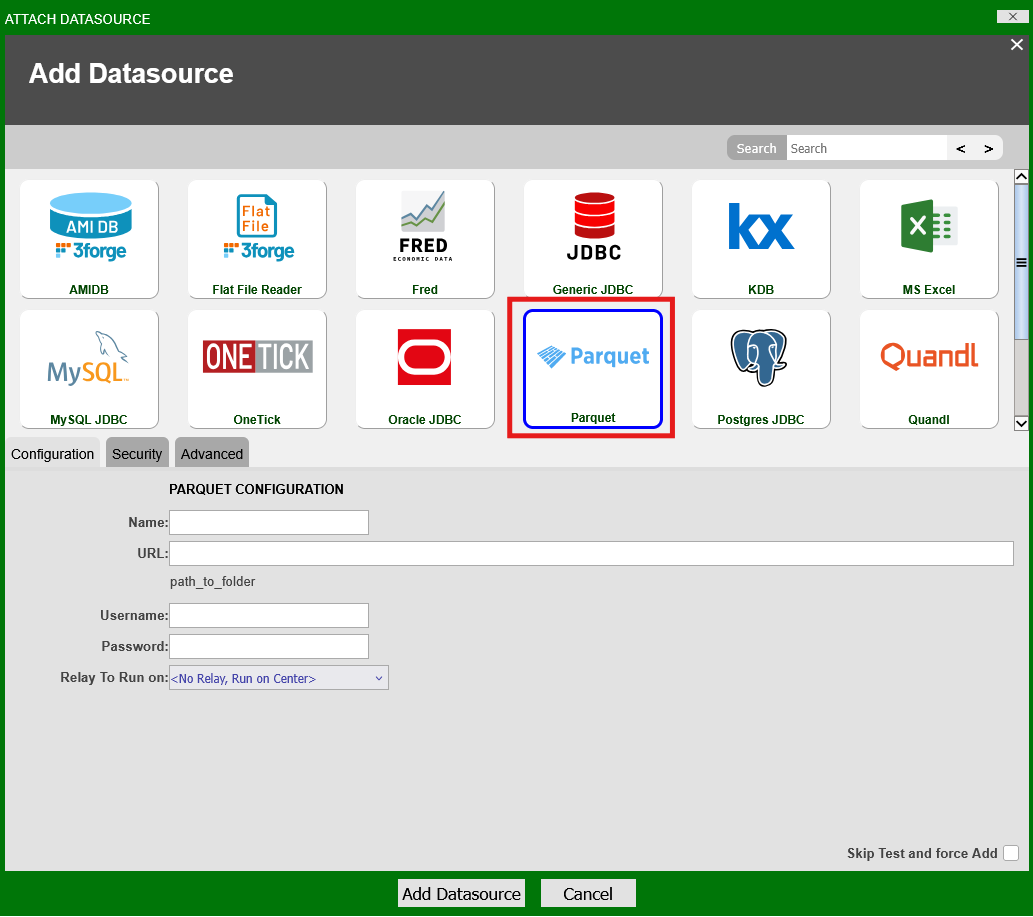
Restart/Launch AMI. Parquet should now be available under Dashboard -> Data Modeler -> Attach Datasource
-
Provide a name for the datasource and the path to the directory containing your
.parquetfiles. Click "Add Datasource." -
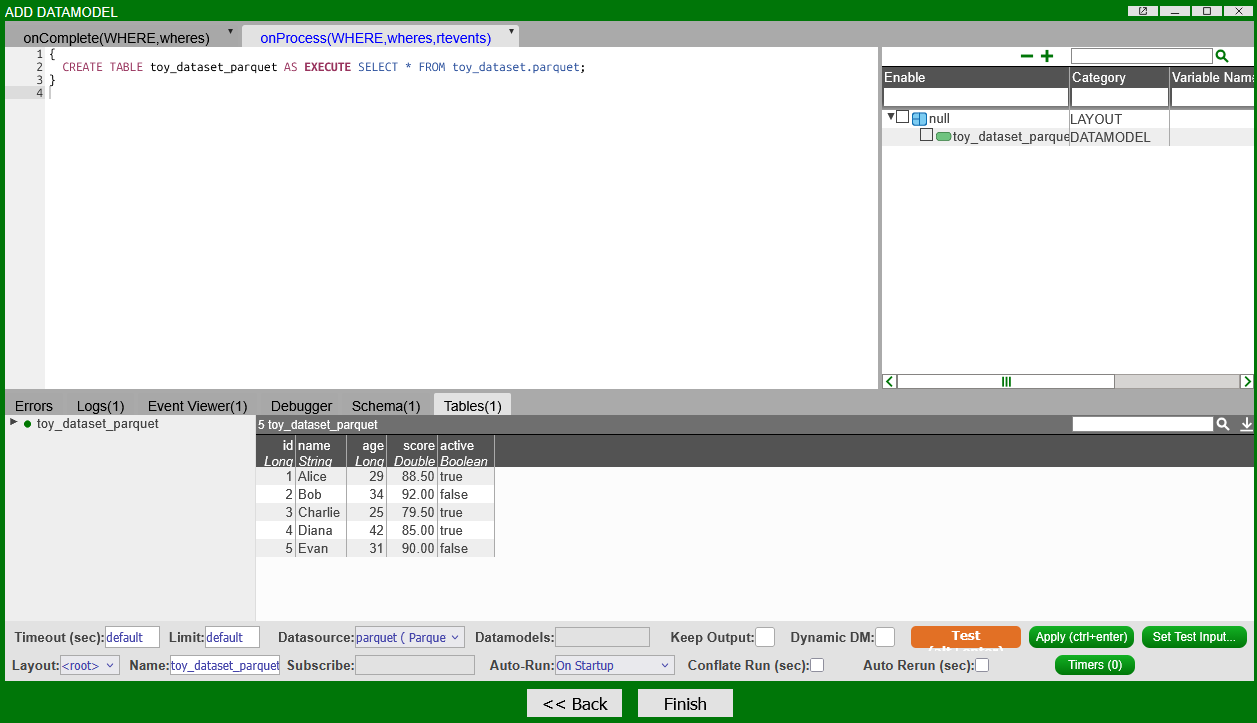
You can then create datamodels as with any other datasource:
Note
The adapter currently only supports a full data import (SELECT * FROM ...) from the datasource