gRPC
3forge offers multiple options for streaming/querying information from a gRPC server. Please note that these libraries are packaged separately from the base installation of 3forge and can be assigned to your account by contacting support@3forge.com.
Overview
There are three main methods for working with gRPC:
- Feed Handler: Real-time message subscriptions via the Relay.
- Datasource Adapter: Query-based retrieval, accessible from the Center and the Web.
- Realtime Processor: Web-based subscriptions which can be configured during runtime.
For real-time messages, the feed handler option is recommended over the Web processor unless there is a requirement to modify subscriptions during runtime.
Setup
Requirements
- The gRPC adapter files (
ami_adapter_grpc.xxxx.tar.gz) - these will be assigned to you by 3forge - A valid jar file containing the Java stub generated from the
.protofile
Note
This document aims to cover 3forge specific information, for gRPC related knowledge, please see: https://grpc.io/docs/languages/java/quickstart/
Configuration
Depending on which configuration of gRPC is used, you will need the following properties in your local.properties:
Feed Handler
Datasource Adapter
Realtime Processor
Note
All three components can be used together in a single installation and will require all of the above properties.
Authentication
Only token based authentication is supported for the gRPC connections (passed via the metadata field). Please contact support@3forge.com if additional functionality is required.
gRPC Syntax Guide
3forge has two unique syntaxes for either performing a subscription/query, and for defining a primary key.
Query / Subscribe Syntax
To perform a query or a subscription, invoke a method from the Stub class. The syntax is similar to AMISQL and has the following form:
Primitive types can be used as you would in AMISQL:
For any enums, you can use either its numerical representation or full string name.
Given the following enum:
Any of these would be valid params:For lists, or methods with the repeating type:
For classes, you will need to use the new fully.qualified.class.name(param1, param2, ...); syntax. You can also nest class constructions as you would in AMISQL:
Arguments must be filled out in sequential order according to its definition and you can also choose to omit optional params.
For example, given the following class:
Any of these syntaxes would be valid:
Example
Given the following proto file:
In order to invoke the RequestData method, you can use the 3forge Table Chooser by Adding a Datamodel to the gRPC adapter to automatically generate the skeleton syntax:
The results returned would be a table with two columns, security and field_values as a JSON string.
Previewing Syntax
As demonstrated above, the datasource adapter returns a preview of all available methods registered on the stub.
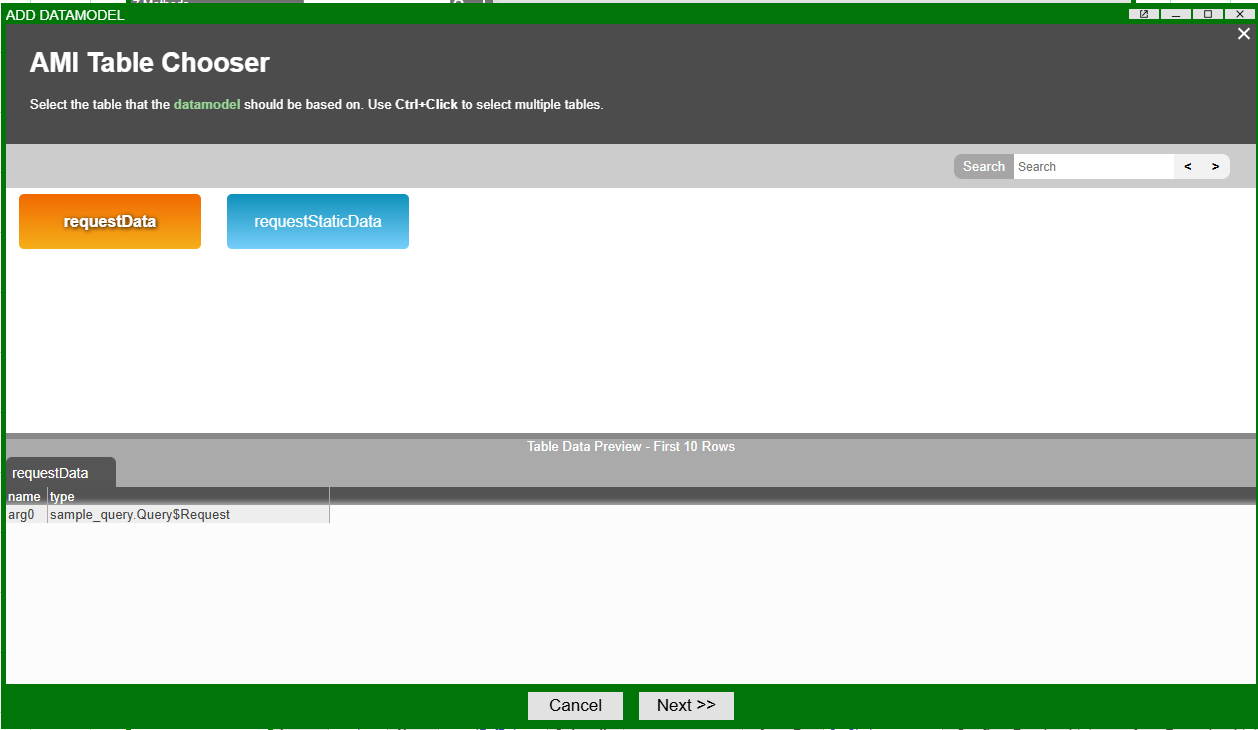
The preview shows the number of arguments required for each method, and also creates a skeleton syntax for reference when you click next.
Primary Key Syntax
In order to define a primary key for messages, we use a simple col1.inner_col2.index.col3 syntax where index is a numerical index (starting from 1 for the first index) for any given repeated types.
Given a sample proto class where we are defining a primary key for Data:
If we wanted to use security as the primary key it would simply be primaryKey=security.
Because field_data is a repeating type, if we wanted to get the 2nd FieldData object's id as the primary key, it would be primaryKey=field_data.2.id.
Similarly, if we wanted to use a specific field dataKey inside the data map in the 1st FieldData, it would be primaryKey=field_data.1.dataKey.
Querying Data via the Datasource Adapter
To setup the gRPC Datasource Adapter, use the Attach Datasource button and select gRPC Datasource Adapter.
These are the available datasource adapter configurations:
- Configuration / Name: Unique Datasource Name
- Configuration / URL: gRPC Server URL
- Advanced / class Prefix: (Optional) Used to specify the package name, to shorten class construction
- Advanced / Metadata: (Optional) Same as the Feed Handler, pass in a comma delimited string to forward connection metadata. (Example: key1:val1,key2:val2)
- Advanced / stub Class: Fully qualified path of the gRPC Stub to be used
Creating a Subscription via the Realtime Processor
In the AMI Data Modeler, go to Realtime Processors and right-click Add Realtime Processor > GRPC to add a new gRPC processor. It is possible to create and have multiple gRPC processors in one AMI instance which can be used to manage multiple subscriptions for different tickers.
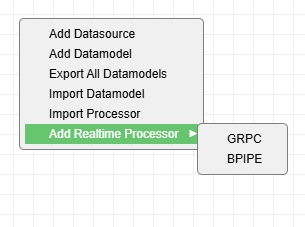
These are the available processor configurations:
- Processor Id: Unique Processor ID
- Primary Key: (Optional) Defines a primary key to be used for the processor's subscription. See primary key syntax section for examples
- Keep Output: Holds onto all retrieved information. Objects received are sent to downstream sources and dropped otherwise
- Server URL: The gRPC server's URL
- Stub Class: Fully qualified path of the gRPC Stub to be used
- Metadata: (Optional) Same as the Feed Handler, pass in a comma delimited string to forward connection metadata. (Example: key1:val1,key2:val2)
- Stub Class: Fully qualified path of the gRPC Stub to be used
- Class Prefix: (Optional) Used to specify the package name, to shorten class construction
- Rerun On Failure: Automatically restarts the connection if any exceptions are encountered
- Rerun On Complete: Automatically re-initiates a connection if the connection is marked as complete
Note
If the processor is intended to be run indefinitely, a Primary Key should be specified to avoid a memory build-up overtime and the Keep Output option should not be used.
Once created, you can then use the processor by first getting a reference to the processor, and calling run with a subscription query or stop: