Styles & Themes
Incomplete
Some Web features have not been fully documented and/or are under active development. See Not yet documented.
Styling in 3forge Enterprise is built on StyleSets. Every Panel, Divider, and Window inherits, directly or through its parents, from the LAYOUT_DEFAULT StyleSet, so a whole Dashboard re-themes by changing one parent.
Shipped Styles and the Style Manager
Ready-made styles are bundled with the runtime as classpath resources, not as files on disk, and are loaded through the ami.style.files property. The shipped set is DEFAULT and KEYSTONE, and the following legacy styles from Classic: GLACIER, HALLOWEEN, LEDGER, PORCELAIN, REDSTEEL, and TUNGSTEN, plus six Nova variants: NOVA_DARK, NOVA_LIGHT, and their _DENSE and _SPARSE forms. More are available from support.
The property ami.web.default.styles selects which apply by default, and ships as KEYSTONE,DEFAULT. You can preview them when creating a new Layout:
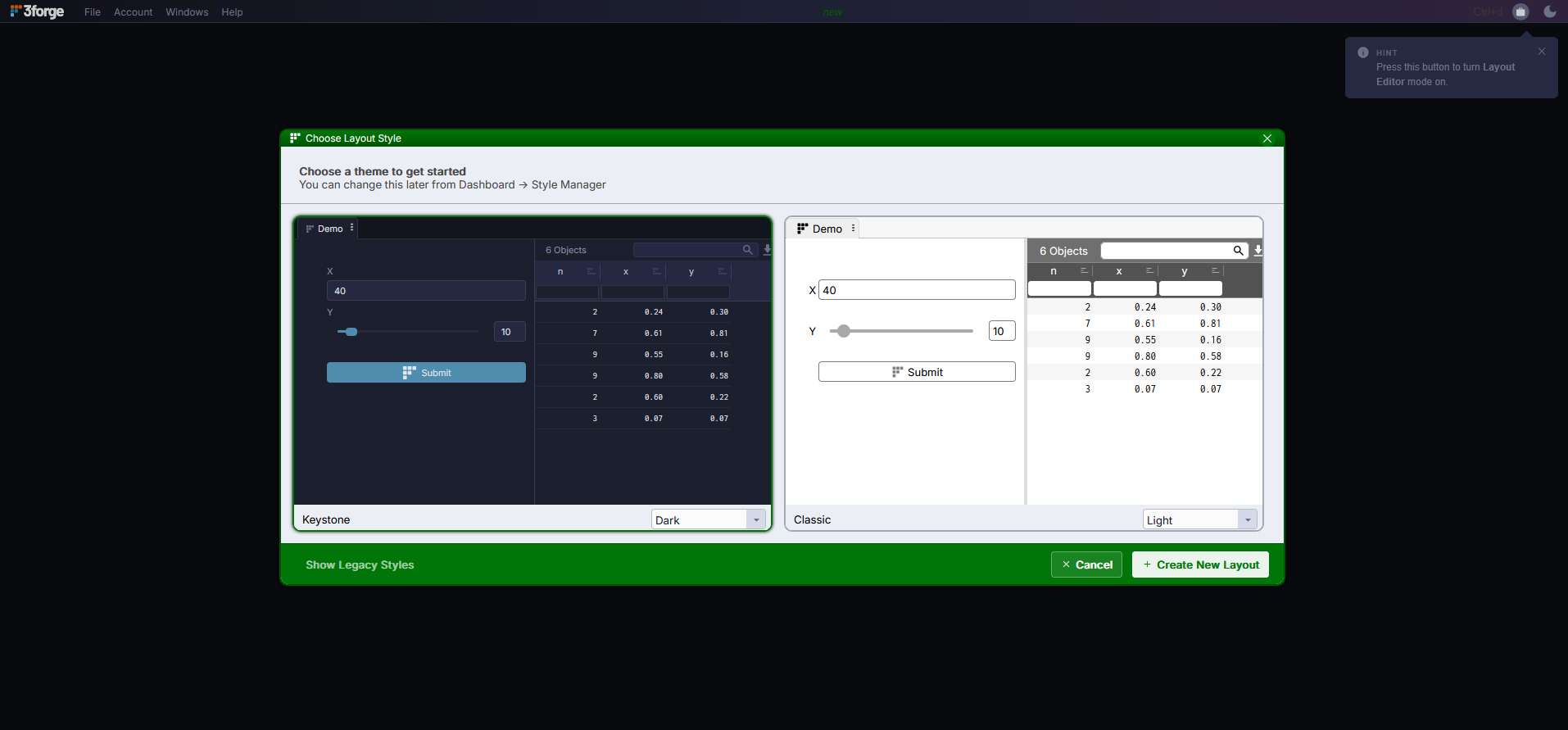
Your own styles go in data/styles/, which ami.style.files picks up through a trailing ./data/styles/*.amistyle.json entry. The installer does not create that directory: make it when you add your first style. The Style Manager (Dashboard -> Style Manager) edits, imports, and exports styles as JSON.
Per-User Theme Switching
A custom method plus a Select field's callback let each user pick and persist a theme:
Programmatic and AI-Assisted Theming
The runtime style surface, also exposed through the MCP tools and the Ask AI assistant, can restyle a live layout without importing anything:
setLayoutStyleupdatesLAYOUT_DEFAULTruntime keys (for examplepanelBgCl,tableHeaderBgCl).setPanelStylerestyles a single Panel.setThemegenerates a complete light/dark theme from a single brand color, synthesizing a tweakable$varpalette ($primary,$secondary,$bg,$surface0..4,$textPrimary, …) for both modes, registering it as a new StyleSet parented toDEFAULT, and giving the layout a working light/dark toggle.
Fonts are ordinary style keys (FontFam / FontSz / FontCl).
Custom CSS
Custom CSS remains available for HTML field elements, with this inheritance priority:
field CSS class -> field style -> inherit-from -> Style Manager